This post comes from Will Chen, our smart-opener specialist, who handles myQ, Chamberlain, and LiftMaster smart opener installs and troubleshooting across Chicagoland.
I’ve done a lot of myQ pairing calls in the last two years. Enough to recognize the pattern: homeowner gets a new opener or a new phone, opens the myQ app, follows the steps, and the pairing fails at step 3 or step 5 with an error message that explains nothing.
Before you call us, and before you call Chamberlain’s 800 number and wait 40 minutes, try these three things in order.
Why myQ pairing fails
The myQ system works by connecting the opener’s built-in Wi-Fi radio to your home network, then communicating with Chamberlain’s servers, then talking to your phone through the app. There are four potential failure points: the opener hardware, the home network, the cloud connection, and the phone. In my experience, the problem is almost always the home network.
Thing 1: Check your Wi-Fi band
myQ only connects to 2.4GHz Wi-Fi networks. It does not connect to 5GHz networks.
Most modern routers broadcast both 2.4GHz and 5GHz on the same network name. They call it “band steering” and they call it a feature. For most devices it works fine. For myQ, it’s a problem. The opener radio tries to connect, your router hands it off to the 5GHz band for “efficiency,” the opener can’t maintain that connection, and pairing fails.
How to tell if this is your problem: Try connecting myQ while holding your phone next to your router, then check which band your phone connected to in Wi-Fi settings (some phones show this under the network name). If it shows 5GHz, you’ve found your issue.
The fix depends on your router. On most home routers:
- Log into the router admin panel (usually 192.168.1.1 or 192.168.0.1)
- Find the 5GHz settings
- Either give the 5GHz network a different name (add “-5G” to the end) so myQ can connect to the 2.4GHz name specifically
- Or temporarily disable the 5GHz band, pair myQ, then re-enable it
This resolves about 60% of the pairing failures I see.
Thing 2: Check your safety sensor light
The garage door safety sensors sit at the bottom of the door frame on each side. One sends an infrared beam, the other receives it. When the beam is interrupted (by something in the door’s path), the door won’t close and the opener signals a fault.
Here’s what most people don’t know: the myQ app’s safety and connectivity features are tied to the opener’s ready state. If the opener is currently in a fault condition, even one you’re not aware of, myQ smart features won’t arm fully, and pairing can stall.
Check your sensors: each one has a small LED. The transmitter (one wire) should show a steady amber or yellow light. The receiver (two wires) should show a steady green light. Blinking or no light means the beam is broken or the sensor is misaligned.
To realign: loosen the wing nut on the misaligned sensor, push it until the LED goes solid, tighten. Run the door through one cycle. If sensors still won’t hold alignment, check the wiring at the sensor and at the motor head. Corrosion at the terminal strip is common, especially in detached garages.
Thing 3: Redo the learn button sequence
Every LiftMaster and Chamberlain opener has a “learn button.” On most models it’s yellow, orange, or purple, depending on the frequency. This button is the key to resetting the opener’s connectivity state.
Here’s the full reset sequence for myQ pairing:
- In the myQ app, remove the device if it’s already showing (even if it shows as disconnected).
- On the opener motor head, hold the learn button until the indicator light goes out (about 6 seconds). Release. This clears all stored remotes and smart device connections. Note: you’ll need to reprogram all your remotes after this.
- Wait 30 seconds.
- Press the learn button once and release. The indicator light should come on solid.
- Open the myQ app. Tap Add Device. Follow the on-screen steps. When it asks you to “put your opener into pairing mode,” press and release the learn button once.
- The app will search for the opener’s Wi-Fi signal. This can take 45 to 90 seconds, so don’t tap anything.
If you’re prompted to enter your Wi-Fi password: use the 2.4GHz network password (from Thing 1 above).
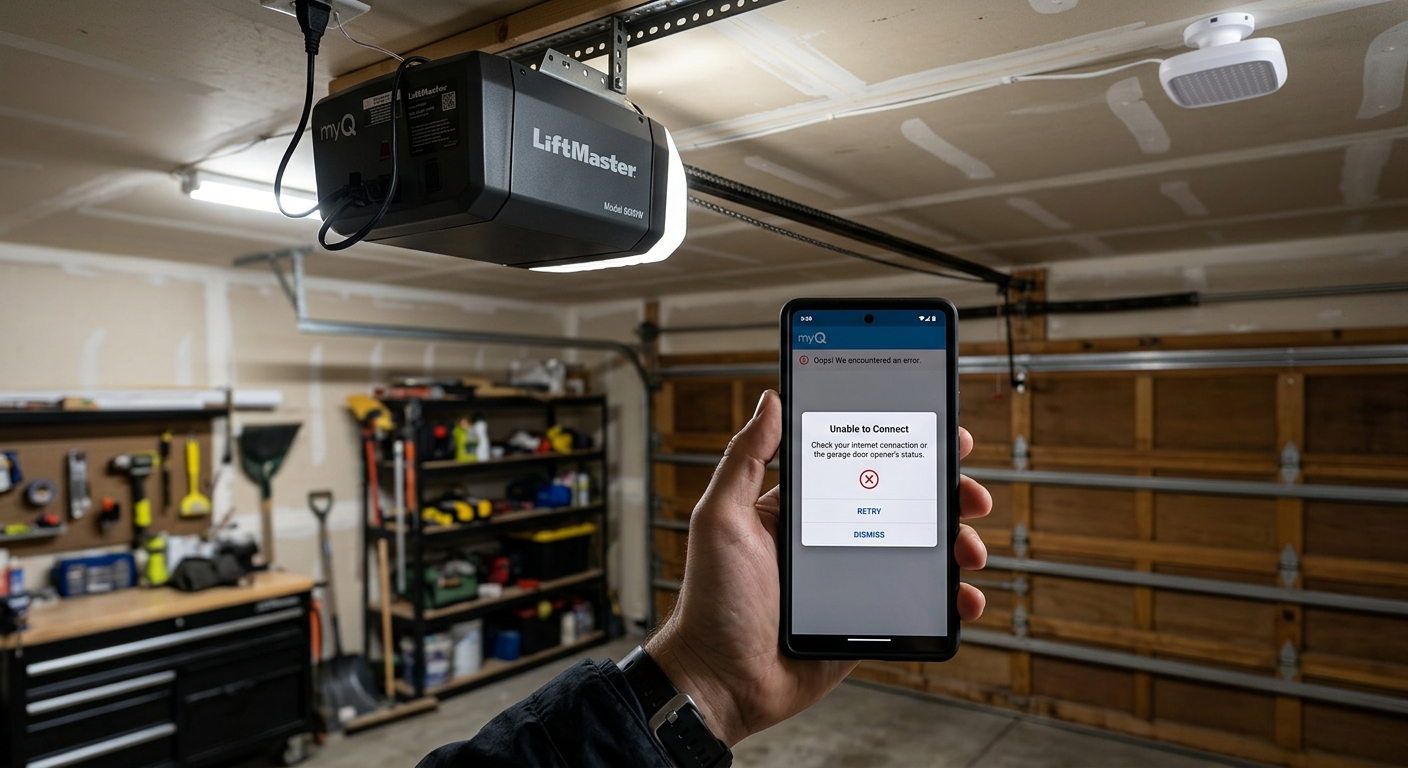
When the pairing problem is actually hardware
If you’ve tried all three and it still won’t pair, the issue may not be your network.
Firmware update failure: myQ openers periodically update their firmware automatically. If an update started and failed, say a power outage mid-update or the router went down, the opener can be stuck in a corrupted state. This is rare but happens. The symptom is that the opener’s Wi-Fi light blinks an unusual pattern (not in the standard error code list). A factory reset followed by a fresh firmware push (done on-site) usually resolves it.
Antenna damage: The wireless antenna is a small wire that hangs from the motor head. If it’s been coiled up, tucked into the motor housing, or physically damaged, the opener’s range is severely limited. The antenna should hang straight down at least 6 inches below the motor. Straighten it and retest before concluding the radio is bad.
Opener too old for myQ: myQ is compatible with LiftMaster and Chamberlain openers manufactured after 2014, and with specific pre-2014 models that have the myQ bridge kit installed. If your opener is older than 10 years and doesn’t show a yellow learn button, it likely doesn’t have native myQ capability.
Openers that work reliably with myQ in Chicago winters
I mention this because I’ve seen some models struggle specifically with Chicago’s extreme cold. These are the ones I’ve consistently had good results with:
- LiftMaster 8500W (wall-mount, jackshaft): myQ works cleanly on it and it holds up well in the cold
- LiftMaster 84505R (belt drive, Wi-Fi built in): our most common residential install, with a myQ connection that stays put
- Chamberlain B6765 (belt drive, Wi-Fi, battery backup): good for newer Illinois-code-compliant installs that require battery backup
All three hold a reliable Wi-Fi connection through Chicago winters, where temperature can swing from the 60s down below zero in a couple of days and stress the electronics.
When upgrading makes more sense than troubleshooting
If your opener is over 10 years old and you’re fighting myQ pairing, I’ll usually tell you honestly: the repair bill is going to approach the cost of a new opener that works reliably.
A new LiftMaster 84505R installed runs $400 to $550 depending on the job. It comes with myQ built in, a new battery backup (Illinois code-compliant), a fresh 10-year motor warranty, and we walk you through the app setup before we leave.
If you’ve got a 2011 opener and you’re spending an afternoon fighting pairing issues, that’s your time. Price it out.
Will Chen handles smart-opener installs and troubleshooting across Chicagoland. He does phone diagnostics before rolling a truck. Call +1 (312) 418-2970 and ask for smart opener support.
